If you’re looking to integrate agentic workflows or use existing or newly created agents within your processes to analyze data or perform tasks using LLMs through Logic Apps, then this blog is for you.
In this blog, I will explain how to integrate agents using Logic Apps, and why automation is evolving from fixed rule-based engines into intelligent systems capable of reasoning, planning, and acting. This shift is transforming the way we design and build modern automation solutions.
A standard workflow handles structured inputs and predefined sequences. It performs best in stable environments where outcomes are predictable.
An agentic workflow, on the other hand, can work with unstructured data, respond to changing inputs, and make informed decisions based on goals rather than fixed instructions. That means instead of telling the workflow exactly how to solve a problem, you define what outcome you want and the agent figures out the best path forward.
To understand how agentic workflow works, we need to understand it’s core building blocks as given below.
Agent Loop : This is the engine behind the workflow. It continuously processes information, evaluates the next step, and executes actions until the objective is achieved.
LLM’s : LLM acts as the reasoning layer. It interprets prompts, understands context, and helps the agent decide which action to take next. Using Azure Logic Apps, these models can be connected through services like Azure OpenAI, Microsoft Foundry, or API-based LLM endpoints depending on the workflow type.
Tools: Tools are the actions the agent can invoke. A tool might send an email, call an API, query a database, or trigger another system. In practical terms, tools are what turn reasoning into execution.
Context : Context is the memory of the conversation or task. It enables continuity, allowing the workflow to make decisions based on previous interactions rather than treating each request in isolation.
Now let’s understand the final part, what are type of agent workflows logic app supports.
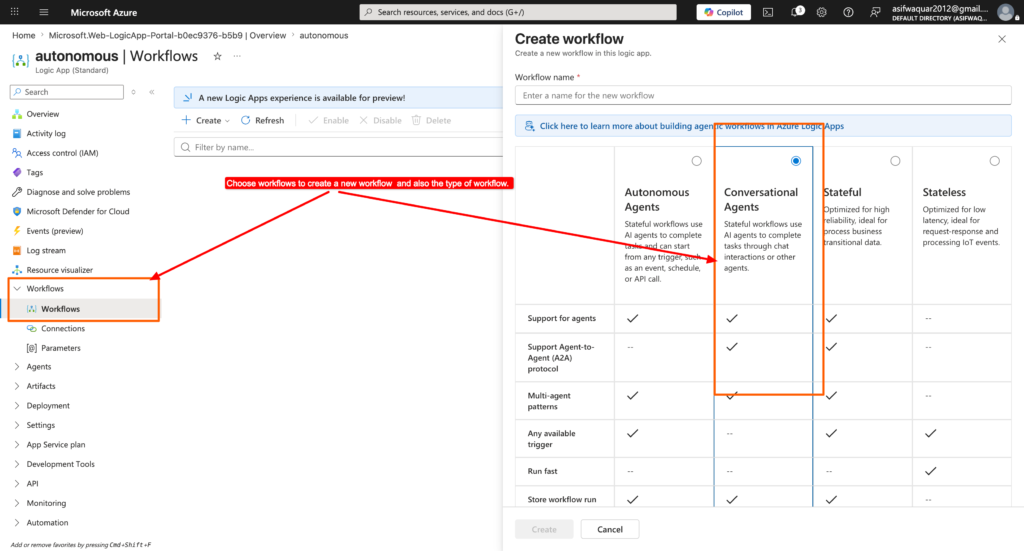
Autonomous Agents : These workflows operate independently. They receive inputs from triggers or upstream actions and complete tasks without human intervention. This model is ideal for long-running processes such as order handling, document review, or operational monitoring.
Conversational Agents : These workflows interact directly with users. They accept human prompts through chat interfaces and respond dynamically while invoking tools as needed. This makes them ideal for intelligent assistants, internal support bots, or customer-facing AI systems. The distinction matters because it shapes how the workflow is triggered, how it receives inputs, and how it communicates results.
Now let’s take an example how to create an autonomous agents workflow and integrate with logic apps. example: I will create an autonomous agent to get the weather information.
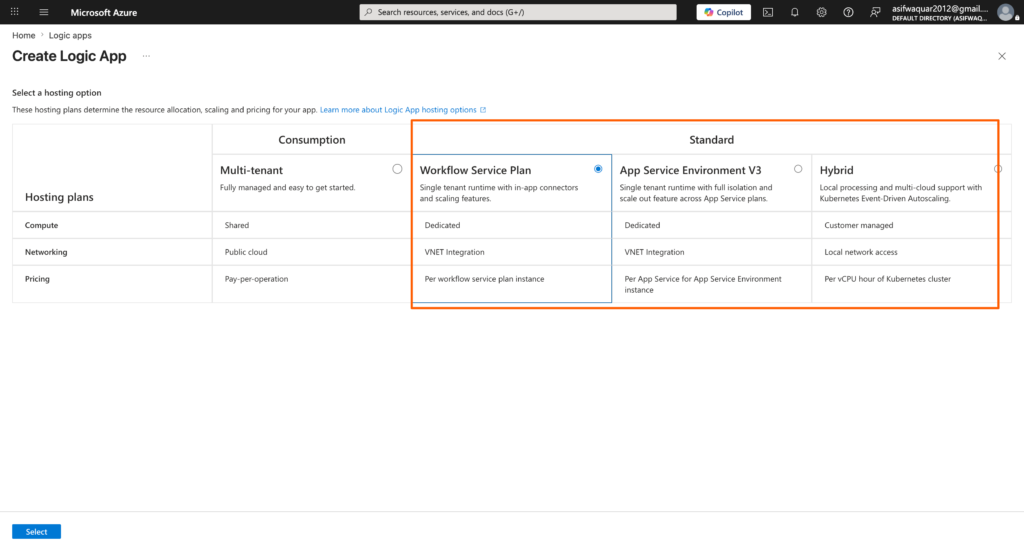
Step 1: Create a logic app using standard tier.
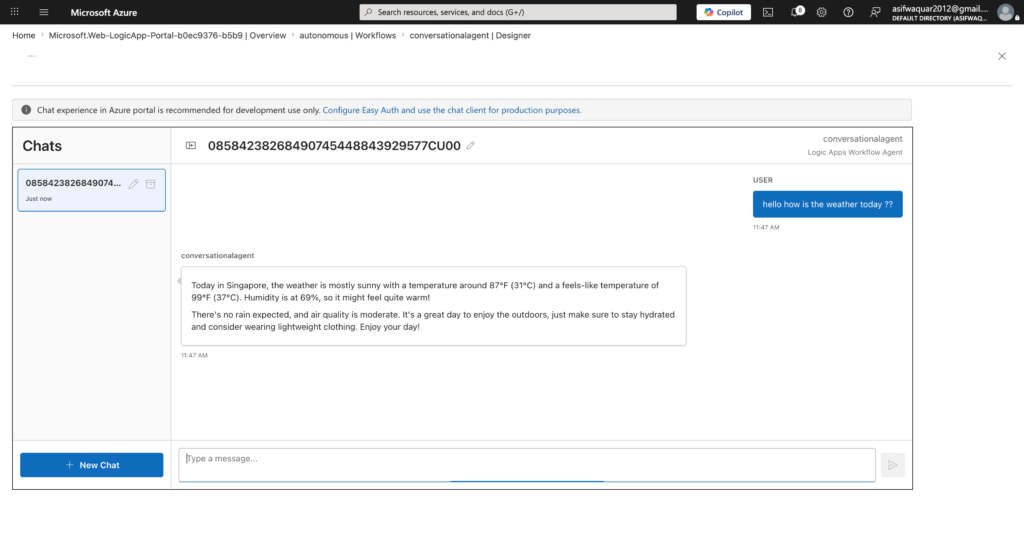
Step 2 : Once the logic app has been created, select the Workflows option to build an conversational agent workflow.
Step 3 : Create a connection by choosing Azure subscription and existing open ai project(If you don’t have any existing azure open ai endpoints. Pls create a new to reflect here.)
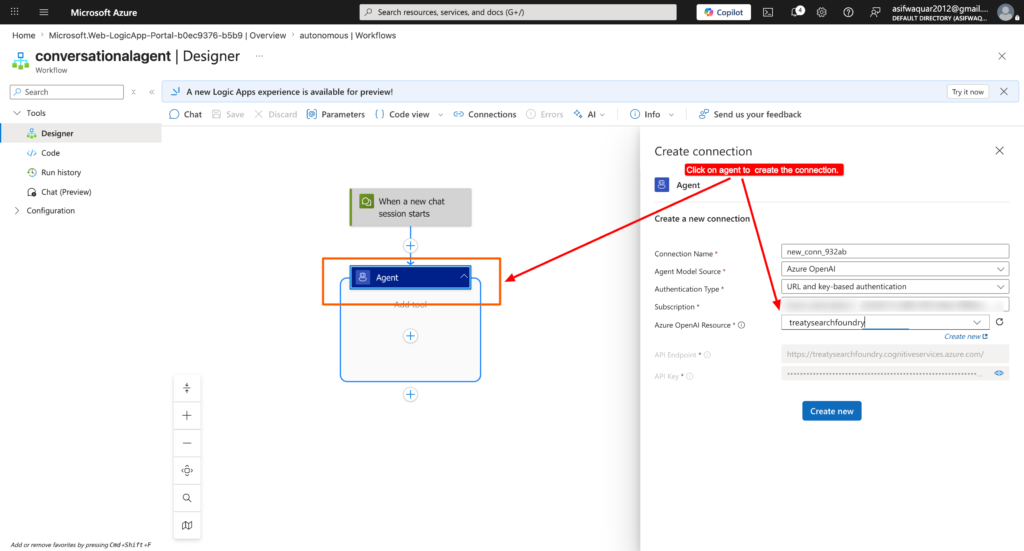
Step 4: Choose the AI model and provide below prompt details.
You are an AI assistant that receives weather data and creates a short, user-friendly weather summary.
Keep the message concise, practical, and conversational.
Include advice such as carrying an umbrella or dressing lightly if relevant.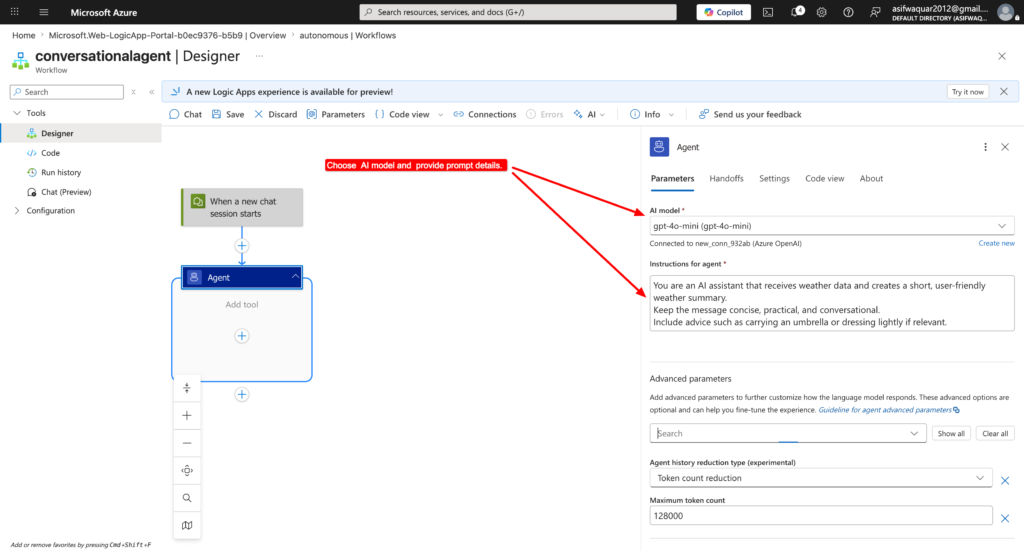
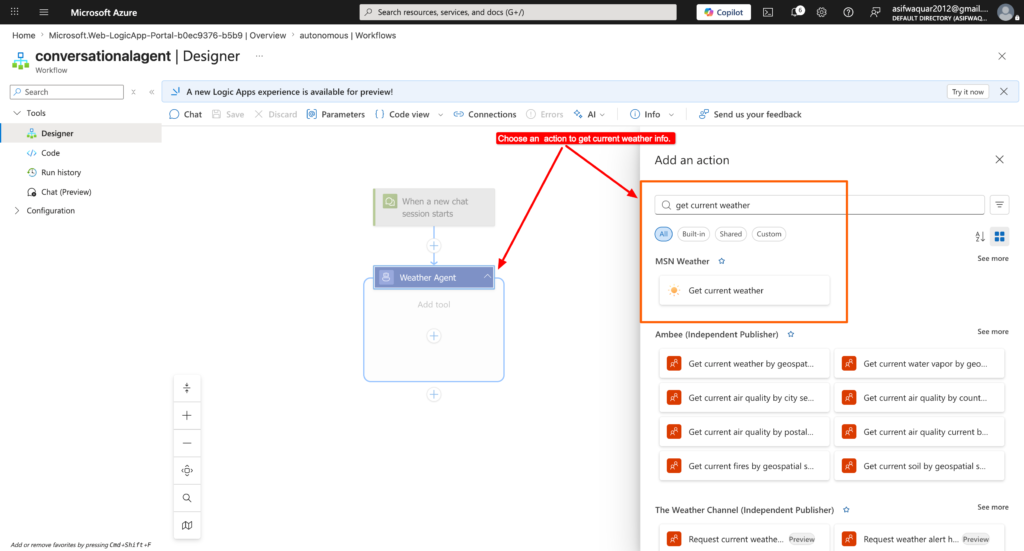
Step 5 : Add an action to get the current weather info.
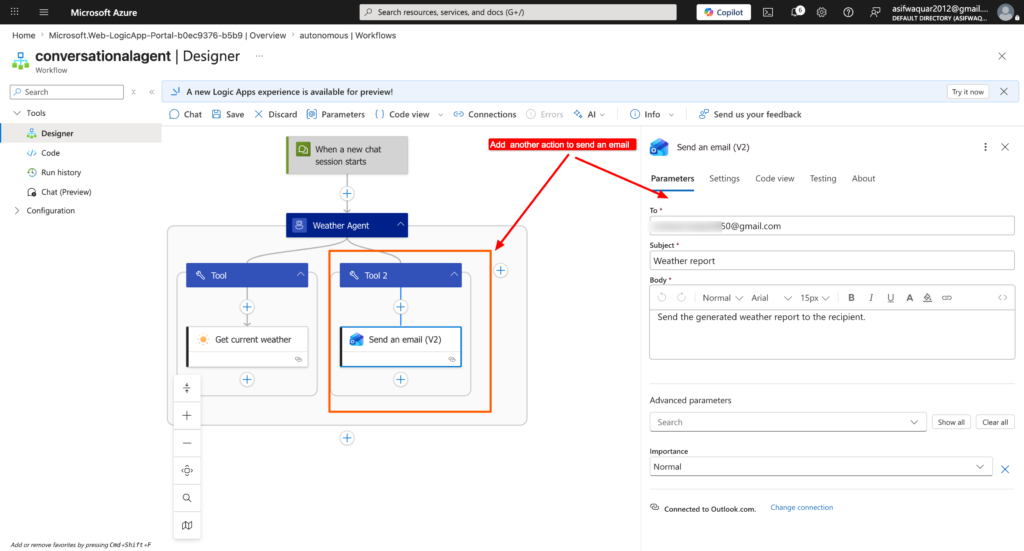
Step 6 : Add another action to send an email. You need to authenticate to your email to setup connection first.
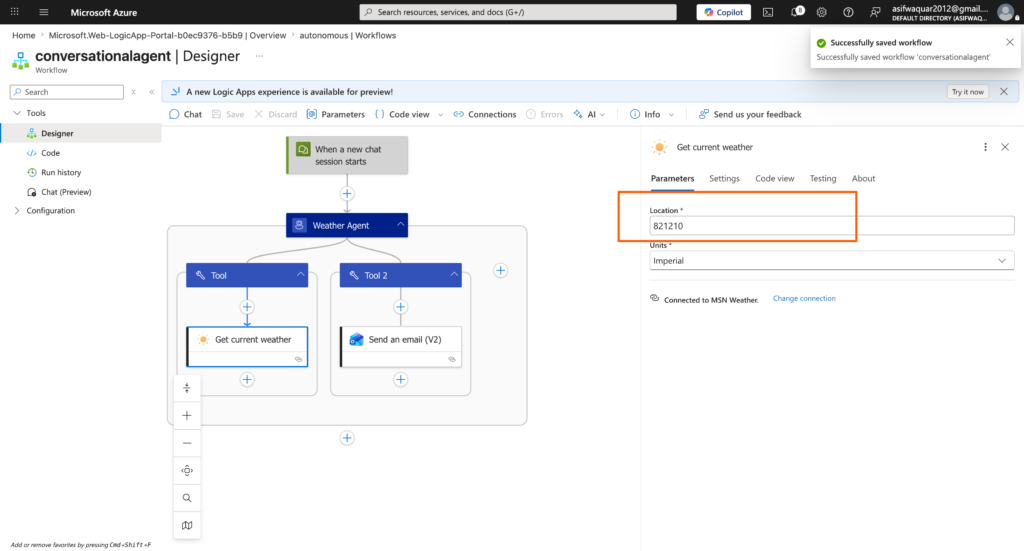
Make sure to pass the location details parameter for weather to capture the details.
Step 7 : Now let’s test the workflow..
Thank you very much for reading the blog.